
IT Support & Networks · Career skills · Full course
Free IT support and networking course
IT Support & Networks is a free, full course in practical IT support, one of the most common ways into a technology career. It has 8 units and 32 lessons: what is inside a computer, a six-step troubleshooting method that works on anything, fixing slow computers, printers and malware, how networks work, IP addresses, DHCP and DNS, Wi-Fi and home networks, command-line tools like ipconfig, ping, tracert and nslookup, and the people and security skills of the help desk.
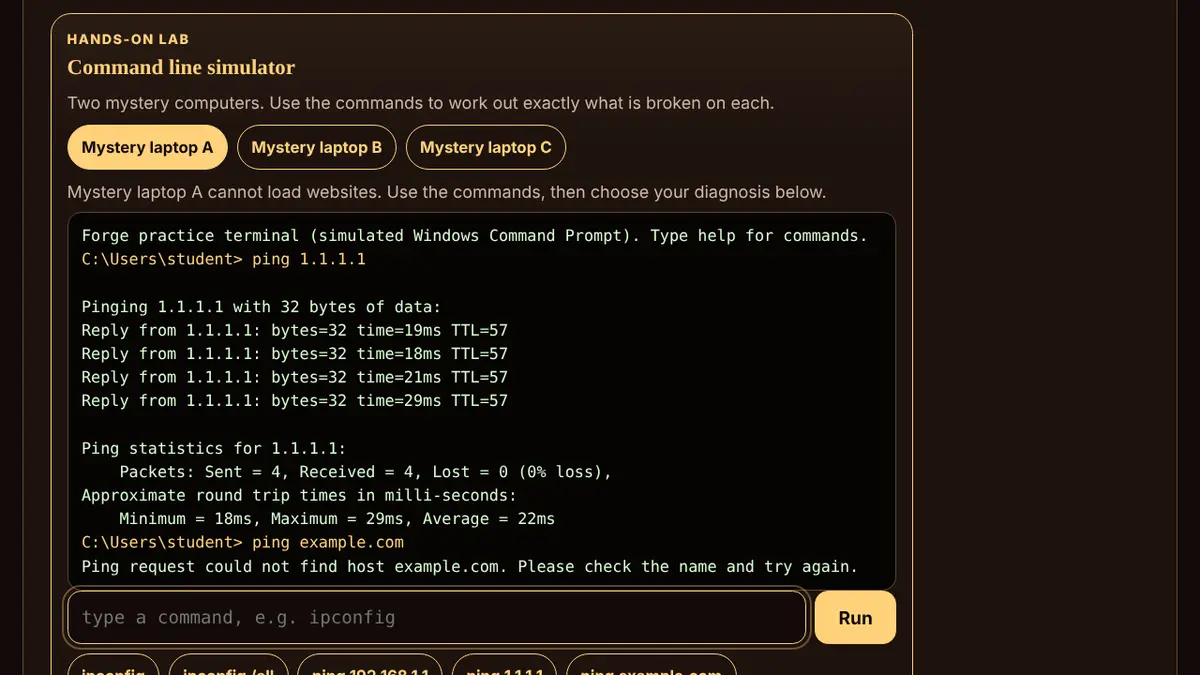
Every lesson explains one idea in plain words, works a real example step by step, then asks two or three questions that make you use it. Wrong answers explain why and come back in Review until they stick. There are 136 practice and quiz questions in all, plus four hands-on labs: parts matcher, help desk simulator, IP address lab and command line simulator.
Pass every unit quiz with 80% or more and finish the final project, solving and documenting a real support case, to earn a printable certificate of completion. Progress is saved only in this browser on this device, with nothing to sign up for.
Every lesson is free: no ads, no lives and no paywall.
What you'll learn
- The parts that make a computer work, how storage is measured, what the operating system does and why computers get slow.
- A professional six-step method, asking the right questions, isolating the cause, and documenting so problems stay fixed.
- Speeding up slow computers, installing and updating software, printers and devices, and dealing with malware.
- LANs and the internet, routers, switches and modems, packets and protocols, and wired versus wireless.
- IP addresses, private and public addresses, DHCP, DNS and MAC addresses: how devices find each other.
- Wi-Fi bands, signal and interference, securing a network and setting up or fixing a home network.
- ipconfig, ping, tracert and nslookup, and a bottom-up method for finding exactly where a connection breaks.
- Tickets and priorities, talking to people under stress, security at the help desk and how to start an IT career.
All 8 units
- Unit 1Inside a computerThe main parts and what they do · Bits, bytes and storage · The operating system, drivers and files · Why computers get slow
- Unit 2The troubleshooting methodSix steps that solve almost anything · Asking the right questions · Isolate the cause: simple first, one change at a time · Restart, document and escalate
- Unit 3Fixing common problemsSpeeding up a slow computer · Installing, updating and removing software · Printers, displays and other devices · Malware: signs, response and prevention
- Unit 4How networks workWhat a network is · Modems, routers, switches and access points · Packets and protocols · Wired versus wireless, bandwidth versus latency
- Unit 5Addresses on a networkIP addresses · Private and public addresses · DHCP: getting an address automatically · DNS and MAC addresses
- Unit 6Wi-Fi and home networksHow Wi-Fi works: bands and standards · Signal, interference and coverage · Securing a network · Setting up and fixing a home network
- Unit 7Network troubleshooting toolsipconfig: what address do I have? · ping: can I reach it? · tracert and nslookup: where and what? · Bottom-up: find exactly where it breaks
- Unit 8Help desk skills and IT careersTickets and priorities · Talking to people · Security at the help desk · Starting an IT career
Questions
Is IT Support & Networks really free?
Yes. Every lesson is free: no ads, no lives and no paywall. There is no account to make, and your progress is saved in your own browser.
Do I need any equipment?
No. The simulators run in your browser: a parts matcher, a help-desk ticket simulator, an IP address lab and a command line with three broken laptops to diagnose. The final project uses a real problem from your own life if you have one.
Will this prepare me for certifications?
It covers many of the fundamentals that entry-level certifications such as CompTIA A+ and Network+ build on, and the last unit explains common career paths. It is not an official exam prep course; check each certification provider for its current objectives.
Is the certificate an industry certification?
No. It shows you completed every lesson, passed every unit quiz and finished the project of a free Forge course.