
Cyber Academy · Defensive security basics
Free cybersecurity basics lessons
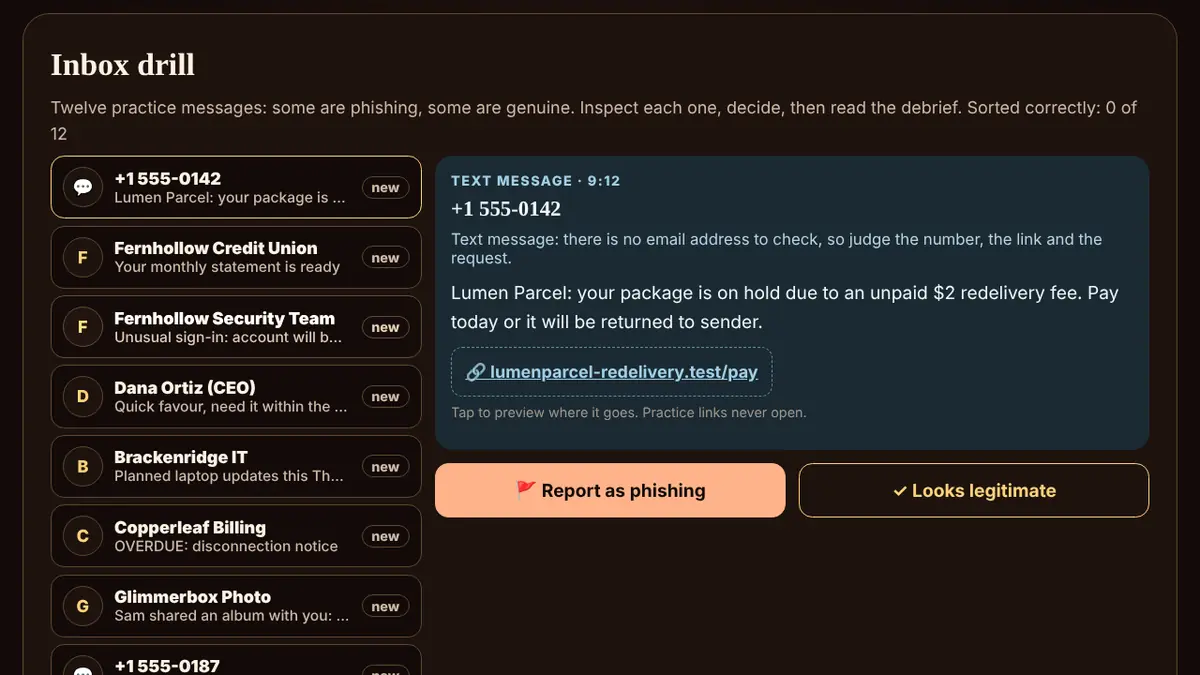
Cyber Academy is a free course in defensive security basics: the everyday habits that keep your accounts, money and family safe online. It has 10 short units and 40 lessons, from passphrases and password managers to two-step sign-in, spotting phishing emails and scam calls, safe browsing, updates and backups, privacy, and exactly what to do after a breach.
Each lesson explains one idea in plain words and ends with a check question. Units add hands-on practice: a practice inbox, look-alike link puzzles, a password lab, a two-step sign-in walkthrough and a branching breach drill, plus a printable safety checklist.
It teaches defence only. Every company, person and number is invented, and every link uses the reserved .example or .test endings, so nothing can open a real site. Progress is saved only in this browser on this device, with nothing to sign up for.
Every lesson is free: no ads, no lives and no paywall.
What you'll learn
- Why length wins, what gets guessed first, and what modern password rules actually say.
- Let a vault remember dozens of unique passwords, and use it as an early warning for fake sites.
- Add a second lock, learn which kinds resist phishing best, and understand passkeys.
- Spot fake messages by their sender, links, attachments and pressure tactics.
- Recognise urgency, fake caller ID, tech-support scams and code requests.
- What the padlock really means, how to read a web address, and safe downloads.
- Patch weaknesses before they are used, and keep copies you can actually restore.
- Tune who can see what, stop leaking security answers, and use public and home Wi-Fi safely.
- Prepare a way back in, recognise a takeover, and know exactly what to do after a breach.
- Help kids start safely, spot game scams, and beat cloned voices and fake videos.
All 10 units
- Unit 1Passwords and passphrasesLength beats tricks · Common and leaked passwords · One account, one password · What modern rules say
- Unit 2Password managersWhy a manager helps · Autofill as a fake-site alarm · Your vault passphrase and recovery · Sharing passwords safely
- Unit 3Two-step sign-in and passkeysA second lock on the door · Not all second steps are equal · Prompts you did not ask for · Passkeys, explained
- Unit 4Phishing emails and textsWhat a phishing message wants · Reading the sender · Links and attachments · Texts and chat messages (smishing)
- Unit 5Scam calls and pressure tricksThe pressure playbook · Caller ID can lie · Fake tech support and refunds · Never read out a code
- Unit 6Safe browsingWhat the padlock means · Reading a web address · Downloads and extensions · Search ads and look-alike results
- Unit 7Updates and backupsWhy updates matter · Real versus fake update prompts · The 3-2-1 backup idea · Test your restore
- Unit 8Privacy, oversharing and Wi-FiA privacy check-up · Oversharing clues · Public Wi-Fi · Home Wi-Fi and smart devices
- Unit 9Account recovery and breachesSet up recovery before you need it · Signs of a takeover · First moves after a breach · When money or identity is involved
- Unit 10Family safety and AI scamsKids' first accounts · Game scams · AI voice clones · Deepfake videos and fake messages
Questions
Is Cyber Academy really free?
Yes. Every lesson is free: no ads, no lives and no paywall. There is no account to make, and your progress is saved in your own browser.
Does Cyber Academy teach hacking?
No. It teaches defence only: strong passphrases, two-step sign-in, recognising scams and recovering after a breach. The drills are simulations with invented companies.
Should I type my real passwords?
No. The password lab asks you to make up practice passwords. What you type stays in the page’s memory only: it is not saved and not sent anywhere.
Who is it for?
Anyone who uses email, a phone or online banking. No technical knowledge is needed, and one unit covers children’s first accounts, game scams and AI voice-clone scams.
Where is my progress saved?
Only on this device, with no account and no tracking. You can export a copy or reset it at any time.